
Alli360 by Kids360
ANKO Solutions LLC
Downloads
1,000,000+
Source
Google Play
Advertisement
Click to download now, finish the installation quickly, and directly unlock the all-round experience
Advertisement
Screenshots




Click to download now, finish the installation quickly, and directly unlock the all-round experience
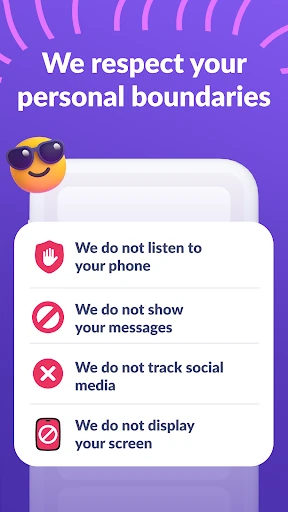
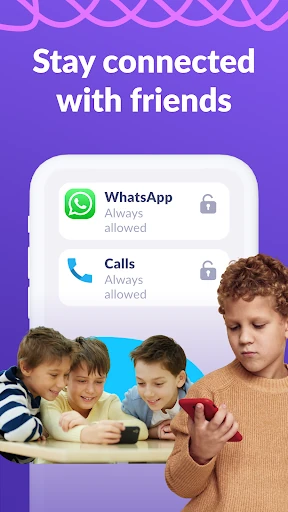
Alli360 by Kids360 is a specialized companion utility designed to bridge the gap between parental oversight and adolescent digital autonomy. Positioned within the competitive Parenting landscape, it serves as the "child-side" node of the Kids360 ecosystem. Unlike invasive surveillance tools, Alli360 focuses on structured screen time management and habit-forming discipline. It is an authoritative solution for parents seeking to mitigate digital distractions while maintaining essential communication channels, adhering strictly to GDPR standards and modern safety protocols.
As a background-oriented utility, the UI of Alli360 is built for functional transparency and resilience. The setup process, which involves a secure link-code synchronization with the "Kids360 for parents" app, is streamlined to minimize friction during the initial configuration. The UX is heavily centered on "Device Admin" and "Accessibility Service" integrations, which are essential for the app's persistence. For a parenting category app, it meets the high standards of reliability, ensuring that the restrictions cannot be easily bypassed by tech-savvy teenagers, while maintaining a clear, non-confrontational interface that emphasizes transparency and consent.
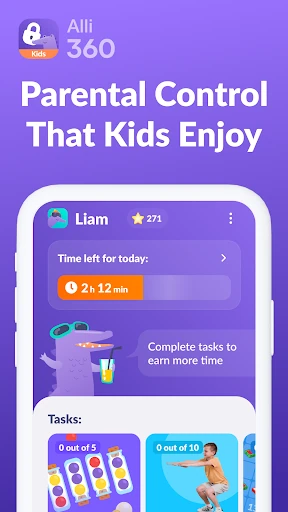
Future updates could benefit from a "gamified" reward system within the Alli360 interface, allowing teens to "earn" extra screen time by completing educational tasks or chores. Additionally, providing a more visual "Time Remaining" widget for the child would help them manage their own limits more effectively without having to constantly check the main app. Refining the setup wizard for specific Chinese-manufactured devices (where Autostart settings are often hidden) would also improve the onboarding experience.
Alli360 by Kids360 is an essential tool for parents of school-aged children and teenagers who struggle with digital overconsumption. It is best suited for families looking for a "trust but verify" approach to smartphone usage. While the setup requires navigating several Android permission layers, the result is a robust, tamper-resistant system that fosters healthier digital habits. It is highly recommended for parents who prioritize safety and structured schedules over simple app-blocking.